
Dice Tech Careers
DHI Group Inc.Business
4.31.71K Reviews
- Version
- 4.3
- Installs
- 500.00K
- Age Rating
- Everyone
Screenshots
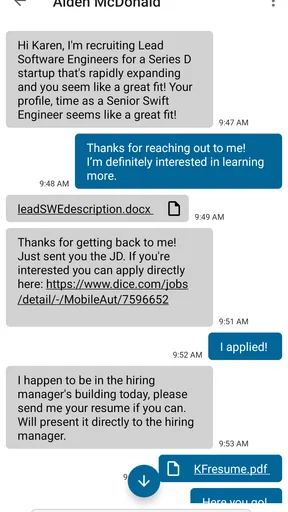
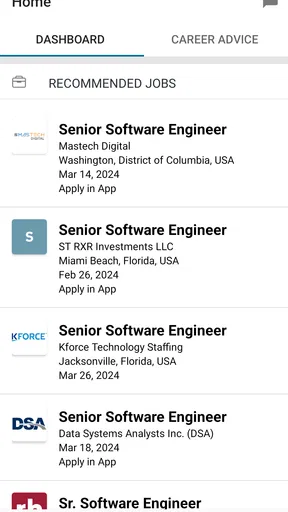
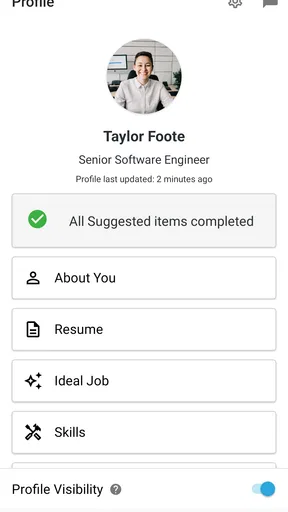
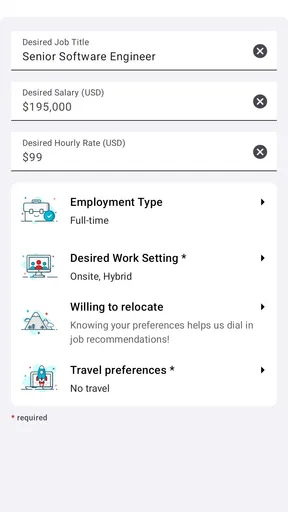
Our Review of Dice Tech Careers
 Analysis by Appyee
When I am looking for a technology job, I usually want to move quickly from “I should start searching” to a short list of roles that genuinely fit my background. Dice Tech Careers is built for that moment. It is a free business app from DHI Group Inc. that focuses on technology jobs across the United States, rather than trying to cover every kind of employment in one broad marketplace.
That narrower focus is the reason I find it useful. A general job app can leave me sorting through office administration, retail, hospitality, and unrelated entry-level listings before I reach a role involving software, infrastructure, data, security, or technical support. Here, the starting point is more relevant. The app has been available since June 24, 2014, and its current version is 4.3, which gives it the feel of an established job-search tool rather than a brand-new experiment.
Its audience is fairly clear: people who want to discover and apply for technology positions in the US. The app is rated for Everyone, works on devices running iOS 11 or later, and has passed the half-million-install mark. Its average rating sits at 4.3 from around 6,400 ratings, with roughly 1,700 written reviews. Those figures suggest that it has a substantial user base, although they do not remove the need to judge the actual search and application experience for yourself.
From a vague job search to a usable shortlist
I find the search becomes much more useful once I translate a broad career goal into a few realistic role families, rather than chasing one exact title. That shift also gives me a practical way to compare opportunities without treating every technology listing as a match. Next, I look at how to keep that process clear when more than one person shares a device or helps with the search.
The right starting condition matters
The most successful way I use this app is not by opening it with a completely open-ended question such as “What jobs are available?” That approach can still produce too many possibilities. I get better results when I begin with three decisions: the kind of technology work I want, the location or work area I can accept, and the level of responsibility that matches my experience.
For example, someone moving from help-desk work into systems administration should not treat every technical listing as equally suitable. A role may contain familiar keywords but still require a different schedule, a stronger programming background, or more years of experience. I use the app as a discovery tool first, then read each listing as a separate commitment. That small change prevents the search from becoming a race to submit applications.
It is also useful for someone who is already employed but wants to test the market quietly. Instead of spending an evening browsing several unrelated employment services, I can concentrate on technology openings and save the roles that deserve a closer look. The focused category makes the first pass less tiring, particularly when I already know the general direction of my next move.
Building a search that reflects real constraints
Location deserves more thought than simply entering a city. A job seeker may be willing to commute farther for the right contract, accept work elsewhere in the country, or limit the search to a specific local area. I treat location as a practical filter tied to my daily life, not just a preference. If I ignore that distinction, an attractive listing can waste time because the interview, schedule, or eventual commute is unrealistic.
The same principle applies to job titles. Technology employers often describe similar work in different ways. A person interested in front-end development may need to consider several related title patterns, while a cybersecurity candidate may find that a role emphasizes monitoring, compliance, or incident response instead of using the exact phrase they expected. I widen the search enough to catch these variations, but I do not assume that a shared keyword means the jobs are interchangeable.
My most useful habit is to search by a small group of related role ideas, then compare the actual responsibilities. This produces a better shortlist than repeatedly searching one perfect title. It also reveals whether the market is describing my experience in the same language I use on my résumé.
Reading results instead of collecting them
Job-search apps can encourage a collecting mentality: save dozens of listings, feel productive, and never return to them. I try to avoid that trap. When a listing catches my attention, I check the employer, the core duties, the required skills, and the practical conditions before deciding whether it deserves a place in my shortlist.
This is where the app’s technology focus helps, but it does not replace judgment. A listing mentioning cloud tools may be aimed at a senior engineer, a support technician, or a project coordinator who works with vendors. The same word can point to very different daily tasks. I compare the language of the role with what I have actually done, not just with the tools I recognize.
I also separate “interesting” from “ready to apply.” An interesting role may show me how companies describe a skill I should develop. A ready-to-apply role should match my experience closely enough that I can explain the connection without stretching the truth. Keeping those two groups mentally separate makes the search more honest and gives me a clearer development plan.
The handoff from discovery to application
The important handoff happens when a listing stops being a search result and becomes an application task. At that point, I leave the browsing mindset and prepare a targeted response. I reread the requirements, identify the two or three experiences that best answer them, and adjust my résumé or supporting material where appropriate.
I do not treat the app as a substitute for application preparation. Its value is in helping me find relevant opportunities and move toward them. The quality of the final application still depends on whether I can present evidence of my work clearly. A fast tap through several listings is less valuable than one carefully prepared submission to a role that genuinely fits.
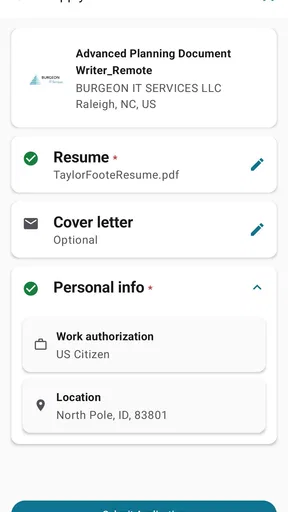
Before applying, I also check whether the listing sends me into another process or service. That transition can involve a different interface, an account, additional questions, or a request for information I did not need during the initial search. I keep my résumé details and work history available so that the handoff does not become a frustrating interruption.
A realistic evening workflow
Imagine that I have finished work and have half an hour to explore new opportunities. I begin with a role family rather than one narrow title, set a location that I could realistically manage, and scan the results for duties that resemble my experience. I dismiss listings that are clearly too senior or too far outside my skills instead of saving them “just in case.”
Next, I open the most promising descriptions and compare them side by side in my own notes. I record why each role fits, what requirement needs attention, and whether the employer’s expectations match the level suggested by the title. I might end the session with two serious possibilities rather than ten vague ones. That is a successful result for me because it turns a broad search into decisions I can act on.
If one listing is suitable, I prepare the application outside the browsing stage and return to complete the handoff. If none is suitable, I still gain useful information: perhaps my search terms are too narrow, my target location is limiting the options, or my current résumé does not reflect the work I want next. The app becomes more valuable when I use those observations to improve the next search.
Where Dice fits beside broader job apps
Compared with a general employment marketplace, Dice Tech Careers gives technology work a clearer center of gravity. I spend less time filtering out completely unrelated industries, and the terminology feels more relevant when I am looking for technical roles. That focus is its strongest reason to keep it installed.
A broader professional network can be better when I want to research people, follow companies, build visibility, or find roles through personal connections. A general job board may offer a wider range of industries, which matters if I am open to changing fields or moving into a nontechnical position. I would not use this app as my only source if my search crosses several career categories.
There is also a difference between job discovery and career research. Dice is most useful when I already have a technology direction and want to find openings. If I am still deciding whether to pursue development, data, infrastructure, or another path, I may need additional research before the app can give me a meaningful search. Its specialization helps after I have a question, not necessarily before I know what that question is.
Three practical ways to get more from the workflow
- Use rejected listings as market feedback. If several roles ask for the same tool or responsibility, I treat that pattern as a clue about how employers describe my target area. I do not automatically add every skill to my résumé, but I do investigate the repeated requirement.
- Keep a small application log outside the app. I note the role, employer, date of application, and the version of my résumé used. This prevents duplicate submissions and makes later follow-up more organized, especially when several listings sound similar.
- Separate location flexibility from role flexibility. I may be willing to travel for a role that matches my specialty while refusing a lower-fit position nearby. Testing those choices separately gives me a more accurate picture of the opportunities available.
- Read the first screen as a doorway, not a verdict. A promising title can hide a mismatch in seniority, while an ordinary title can describe work that fits perfectly. I make the decision from the responsibilities and requirements, not from the title alone.
Friction that appears during the process
The focused catalog does not guarantee that every result will be a perfect match. Technology jobs are often described with overlapping vocabulary, and the app cannot make a personal judgment about whether my experience is strong enough for a particular employer. I still have to inspect the details, identify the real seniority level, and decide whether the role is worth the effort of applying.
The application handoff can also be the least smooth part of the journey. Searching and deciding happen in one mental space, while completing an application may require a different set of steps. I find it helpful to prepare before tapping into that stage, because switching between browsing, résumé editing, and form completion can make a short session feel scattered.
Another limitation is strategic rather than technical: a specialized job app can narrow my attention too much. If I only search the obvious title attached to my current job, I may miss adjacent roles that use my skills differently. The solution is not to abandon the app, but to revisit the search vocabulary and explore neighboring responsibilities without applying blindly.
Who should use it, and who should skip it
I would recommend it to a developer, analyst, administrator, support specialist, security professional, or other technology worker who wants a focused way to look for US opportunities. It is also sensible for students and career changers who already have a target technical area and need to understand how employers phrase entry-level or transitional roles.
I would be more cautious about relying on it if I am seeking work outside technology, need a highly local nontechnical position, or want a full professional networking experience rather than a job-search workflow. Someone who depends heavily on referrals, portfolio visibility, or direct conversations with recruiters may prefer a broader service alongside this one.
The free price makes it easy to test without turning the decision into a financial commitment. I would still judge it by whether the search results fit my location and experience, not simply by the fact that it costs nothing. A free app that produces irrelevant listings can consume more time than a paid service that is better matched to a very specialized need.
My final assessment after following the full path
From the initial search to the application handoff, Dice Tech Careers works best as a focused starting point for technology employment. Its real advantage is not that it removes every difficult part of job hunting. It helps me reach relevant opportunities sooner, then leaves the important decisions—fit, preparation, timing, and follow-through—in my hands.
The app’s long presence, current version 4.3, and strong overall rating make it a credible option for this purpose. I like that its business category is reflected in a practical workflow rather than a collection of distracting extras. I can open it with a technical career goal, refine that goal into searches, and leave with a manageable shortlist.
My recommendation is straightforward: use it when you have a technology direction and want to search US openings with less noise than a general job board. Pair it with careful résumé preparation, your own application tracking, and broader research when you need networking or career exploration. It is most effective when treated as the first link in the chain from opportunity to application, not as the entire job hunt.
Verdict
Strengths of Dice Tech Careers
- Simple way to browse Dice technology job listings.
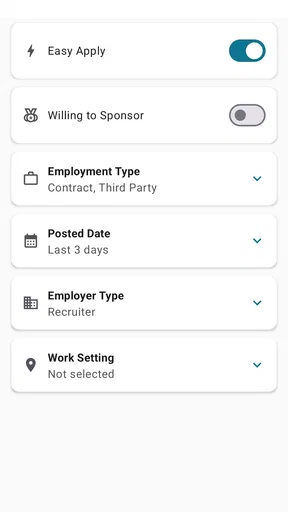
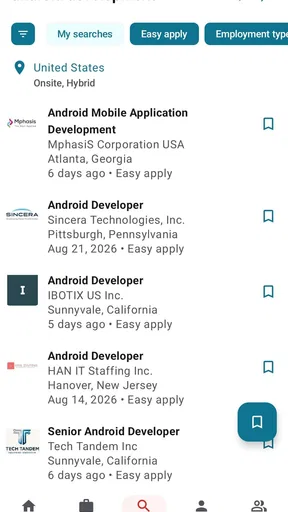
- Useful filters help narrow roles by location and specialty.
- Job details typically include skills, requirements, and employer information.
- Convenient for discovering remote and hybrid tech opportunities.
- Helpful for candidates comparing openings across technology fields.
Limitations of Dice Tech Careers
- Some listings may redirect you to an external site to apply.
- Job availability and listing quality can vary by location.
- Niche roles may be limited compared with broader job platforms.
- The app may require an account for some features or applications.
- Notifications can become frequent if search preferences are broad.
Similar Picks in This Category
View All
LinkedIn: Community & Network
LinkedIn3.8

Zoom Workplace
zoom.com4.1

Microsoft Teams
Microsoft Corporation4.6

Meta Business Suite
Meta Platforms, Inc.4.6

Webex Meetings
Cisco Systems, Inc.4.5

TeamViewer Remote Control
TeamViewer4.4
Frequently Asked Questions
What is Dice Tech Careers, and who is it designed for?
Dice Tech Careers is a technology-focused career platform designed to help job seekers discover employment opportunities in software development, IT, cybersecurity, data, engineering, and related fields. It is especially useful for candidates who want access to specialized technology vacancies rather than general job listings. Users can browse openings, review requirements, and explore roles that match their professional experience and career goals.
Can I search and apply for technology jobs through Dice Tech Careers?
Yes, the platform is built around searching for and exploring technology-related job opportunities. You can typically filter vacancies by job title, location, employment type, experience level, and other criteria. When you find a suitable position, the application process may continue within the platform or redirect you to the employer’s application page. Requirements and available options can vary by listing.
Does Dice Tech Careers require an account to use its features?
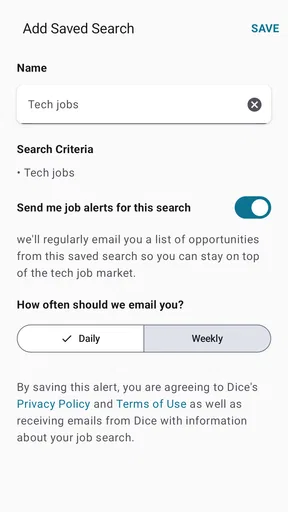
Some basic job-search functions may be available without creating an account, allowing you to browse listings and review position details. However, registering may unlock additional features such as saving jobs, managing applications, receiving personalized recommendations, or setting up job alerts. Before signing up, review the requested permissions and account terms so you understand how your information will be used.
Is Dice Tech Careers free to download and use?
Dice Tech Careers is generally intended to be free for job seekers to download and use, with its core employment-search features available without a subscription fee. Nevertheless, mobile data charges, regional restrictions, or third-party services may apply depending on how you access the platform. Employers and recruiters may use separate paid services, but those costs normally do not apply to candidates searching for jobs.
How can I improve my chances of finding relevant jobs with Dice Tech Careers?
To get better results, complete your profile carefully, use specific technology keywords, and keep your résumé or professional information current. Set realistic filters for location, experience, salary, and remote-work preferences, then activate alerts for newly posted positions when available. It is also wise to read each job description thoroughly, verify the employer, and avoid sharing sensitive personal information outside a trusted application process.
